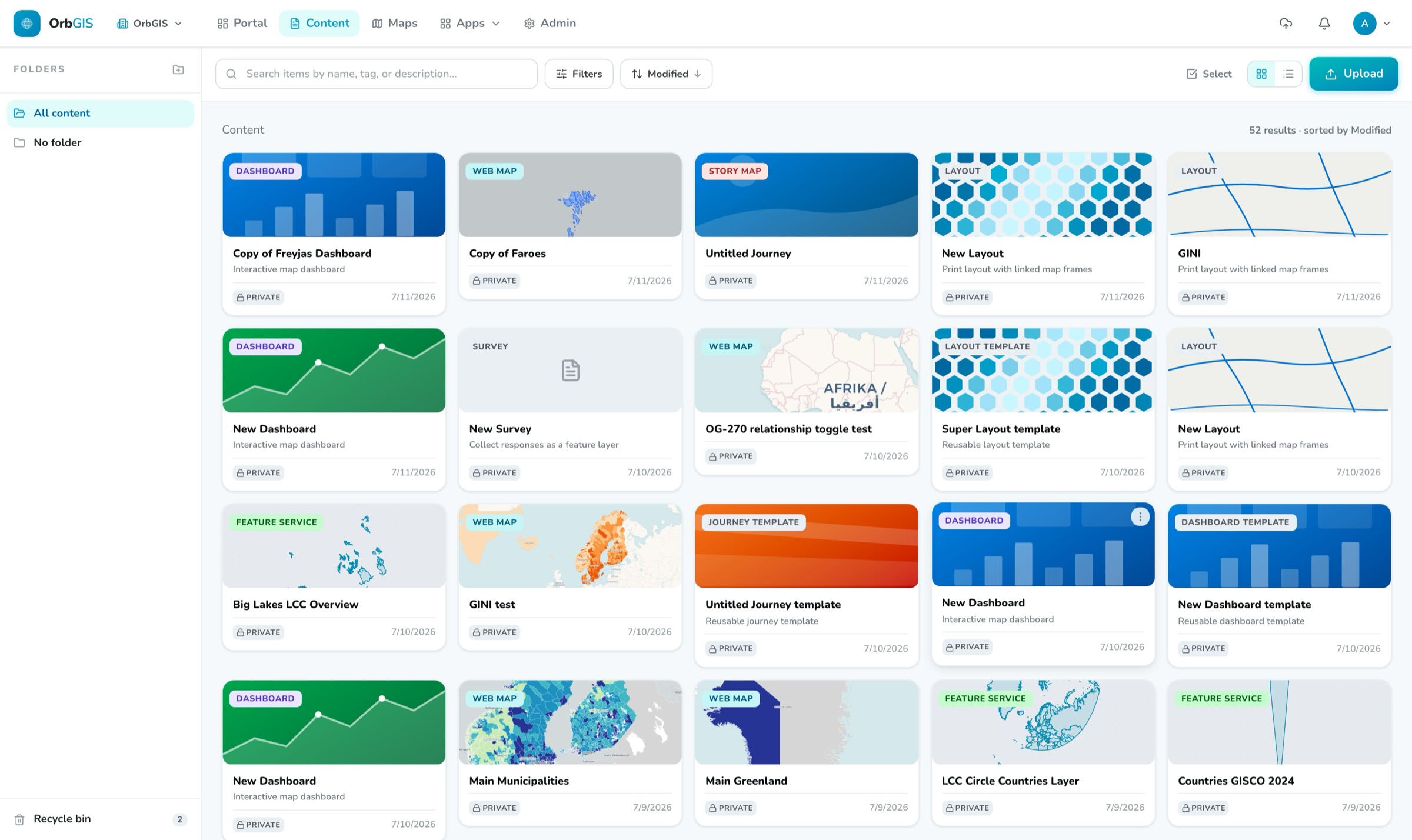
The content browser, folders, typed item cards, search and the recycle bin
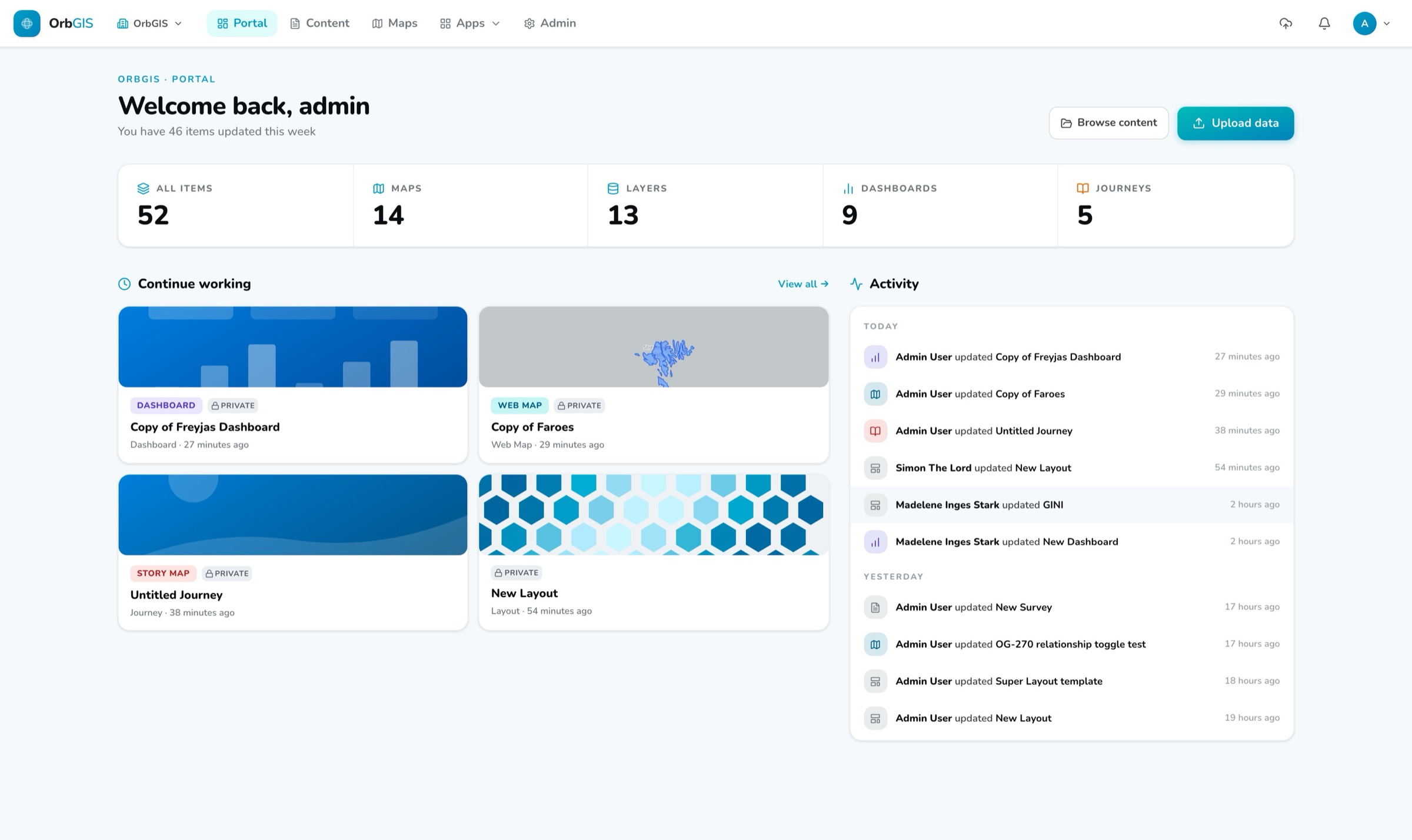
Everything your organization makes in OrbGIS, maps, layers, dashboards, PDFs, is an item in the Portal. Upload it, file it, find it, share it. Un-delete it when someone gets bin-happy.
The content browser, folders, typed item cards, search and the recycle bin
The Portal is the content backbone of OrbGIS. Web maps, layers, tables, dashboards, Journeys, print layouts, plain documents, 28 item types, all with the same card, the same tags, the same detail page. Browse them in folders, filter by type and tag, sort and search, and flip between grid and list. Drag a card onto a folder and it moves. Select a whole page and move, download or bin it in one go.
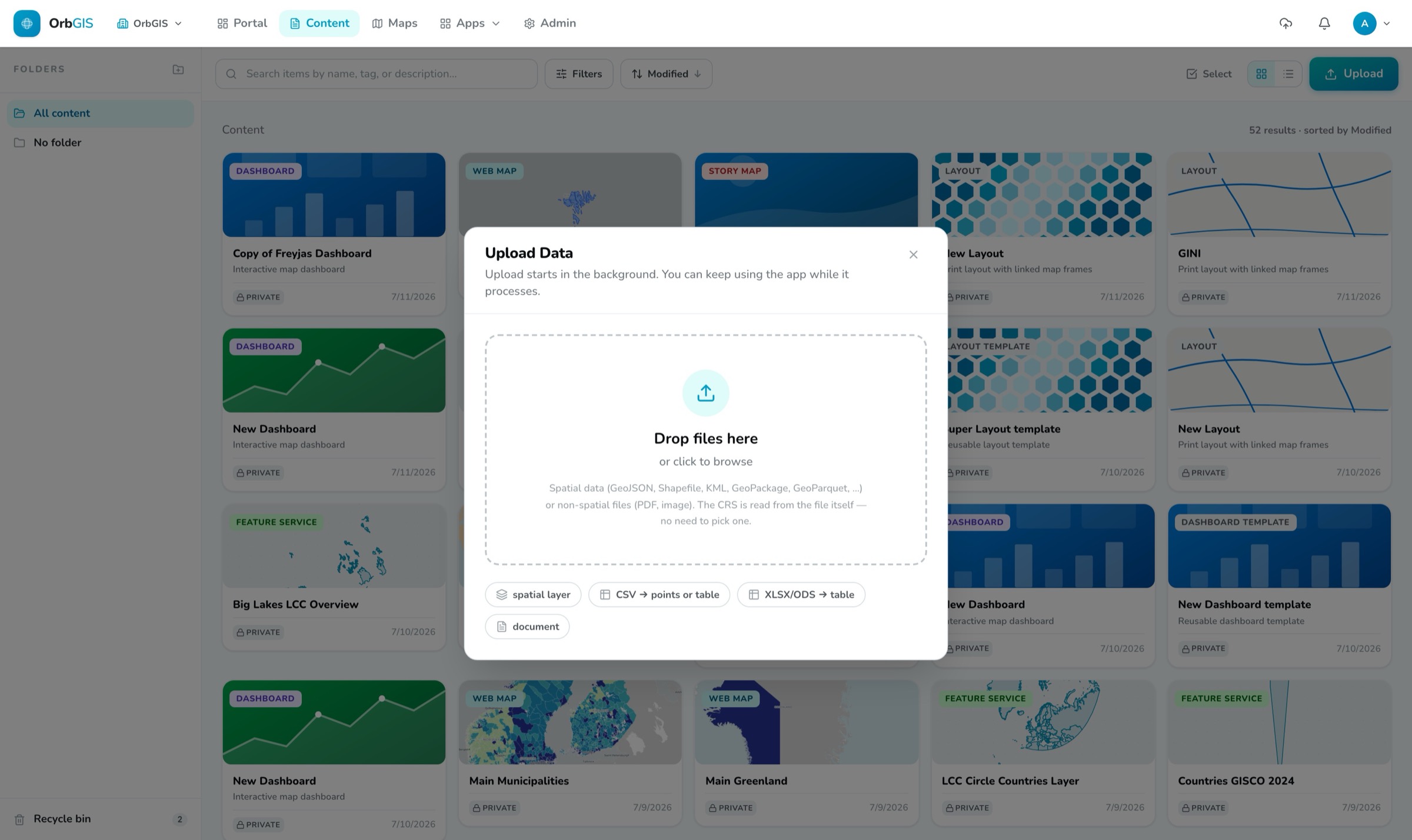
Getting data in is a drop. The upload dialog takes all the common geodata formats, Shapefile, GeoPackage, GeoJSON, KML and more, even zipped, up to 5 GB per file. Uploads run in the background: the dialog closes immediately, a status button in the header follows the progress, and a notification pings you if you have wandered off to another tab. A CSV gets a coordinate-column picker that finds the right columns by itself, or comes in as a plain table, spreadsheets do too.
Access is four straightforward roles, Viewer, Editor, Publisher, Admin, enforced by the platform itself, not as hidden buttons. Deletes are soft: binned items sit in the recycle bin for 30 days with a visible countdown before they're removed for real. Maps, dashboards and Journeys keep version history you can roll back. And when something is ready to go out, the item page hands you a public link and a QR code.
Web maps, layers, tables, dashboards, Journeys, print layouts, images, PDFs. Everything is an item with the same card, tags, thumbnail and detail page, no second-class content.
Drop your files, all the common geodata formats, up to 5 GB each. Uploads run in the background behind a header status button, and a notification tells you when they're done.
A CSV with coordinates opens a picker that finds the coordinate columns by itself and counts the points it found before you commit. Or import it as a plain table for joins, Excel files come in the same way.
Drag a card onto a folder in the sidebar and it moves. Bulk-select to move, download or bin a whole page of items at once.
Search across titles, descriptions and tags, with the best matches first and your search terms highlighted. Narrow down by type, maps, layers, files, apps, and go from there.
Deletes are soft. Every binned item shows its own countdown, restore is one click, and nothing is actually gone until 30 days have passed, or you empty the bin yourself.
Viewer, Editor, Publisher, Admin, permissions are enforced by the platform itself, because hiding a button is not a security model. Email invites, member management and an org-wide activity log round it out.
Drop a file into the portal and get a hosted, tiled, styleable layer, then describe it so the rest of your organization can find it.
→The home for everything your organization makes: browse, search, organize and manage all content, maps, datasets, apps and files, in one place.
→Two independent switches govern who sees what: Ownership (Private or Organization) inside your org, and Publishing for the open web, apps only, with a clear exposure check.
→Four fixed roles, Viewer, Editor, Publisher, Admin, decide who can create, publish and administer. No custom roles to design, nothing to misconfigure.
→Deleting is reversible: items move to a recycle bin and stay restorable for 30 days before being permanently removed.
→
No demo call. No sales funnel. Sign up to make your first map.